> ## Documentation Index
> Fetch the complete documentation index at: https://docs.primeintellect.ai/llms.txt
> Use this file to discover all available pages before exploring further.
# Sandboxes Overview
> Why sandboxes exist, how to launch one, and what it costs
## Why Sandboxes
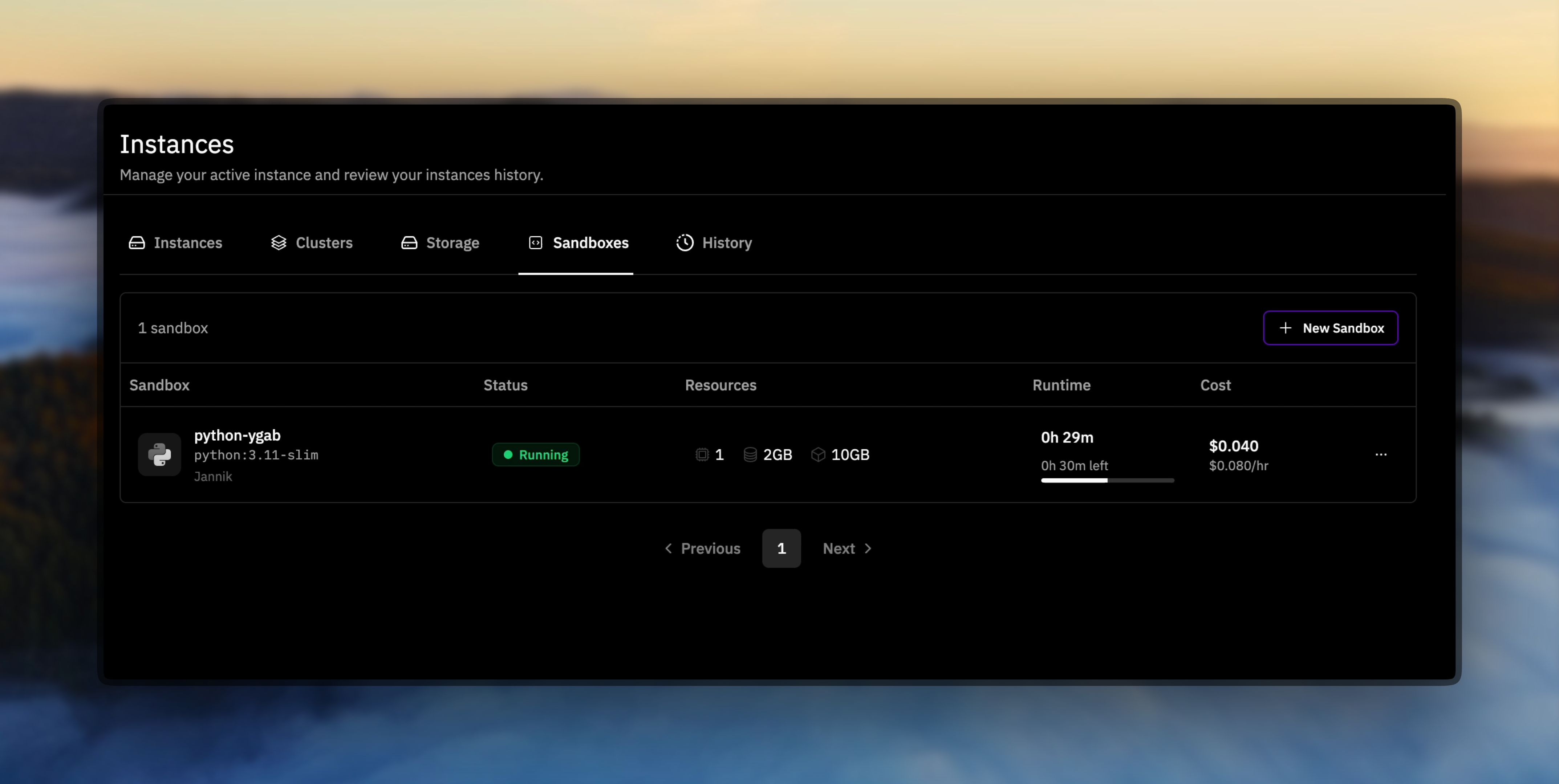
Prime Sandboxes are disposable Docker environments for AI-assisted coding, benchmarking, and quick experiments. They give agents and humans an isolated workspace without touching production infrastructure.
 ### Popular moves
* **Prototype quickly** – launch a clean runtime and iterate without worrying about teardown.
* **Benchmark safely** – run untrusted code or model evaluations in a locked-down environment.
* **Run AI agents securely** – disable network access to prevent code from reaching the internet.
* **Inject secrets safely** – pass API keys, passwords, and tokens as encrypted secrets that never appear in logs or API responses.
* **Teach & demo** – hand teammates a reproducible workspace that mirrors your setup.
* **Use custom images** – push your own Docker images and use them in sandboxes with all your dependencies pre-installed.
* **Organize with labels** – tag sandboxes by project, team, or environment for easy filtering and bulk cleanup.
## First Run
Make sure you have an API key with the right permissions on hand (`prime login`) before running these commands.
```bash theme={null}
# Create
prime sandbox create python:3.11-slim --timeout-minutes 120
# See what is active
prime sandbox list
# Try a quick command
prime sandbox run "python --version"
# Clean up when you're done
prime sandbox delete
```
Track usage limits and billing inside the [Prime Billing dashboard](https://app.primeintellect.ai/dashboard/billing).
## Pricing
Sandboxes are billed while running:
* **CPU**: \$0.05 per core per hour
* **Memory**: \$0.01 per GB per hour
* **Disk**: \$0.001 per GB per hour
Example: 1 CPU core, 2 GB RAM, 10 GB disk → \$0.08/hour.
## Limits
### Per-sandbox
| Resource | Min | Max | Default |
| ------------ | ------ | ----------------- | -------- |
| CPU cores | 0.1 | 16 | 1 |
| Memory | 0.1 GB | 64 GB | 2 GB |
| Disk | 0.1 GB | 1,000 GB | 10 GB |
| Timeout | 1 min | 1,440 min (24 hr) | 60 min |
| Idle timeout | 1 min | 1,440 min (24 hr) | Disabled |
### Per-account
| Resource | Default limit |
| ------------------- | ------------- |
| Active sandboxes | 512 |
| Total CPU cores | 512 |
| Total memory | 1,024 GB |
| Total storage | 5,120 GB |
| HTTP port exposures | 128 |
| TCP port exposures | 32 |
Account limits apply across all running sandboxes. If you need higher limits, contact support.
## Container Images
Sandboxes support images from any Docker-compatible registry. When you pass an image reference to `prime sandbox create`, it resolves in this order:
1. **Fully-qualified references** go to the registry you name — `docker.io/pytorch/pytorch:latest`, `ghcr.io/org/image:tag`, `quay.io/org/image:tag`.
2. **Prime Images** — references that start with `prime/`, like `prime//:`, `prime//:`, or the id forms (`prime//:`, `prime/team-/:`), resolve to a [Prime Image](./images) you can access: your own, your team's, or one that's been published.
3. **Docker Hub** — any other reference with no registry host and no `prime/` prefix resolves as a Docker Hub image, so official images like `ubuntu:22.04` or `pytorch/pytorch:latest` work as usual.
For private images, add registry credentials via the [dashboard](https://app.primeintellect.ai/dashboard/instances?tab=templates), then switch to `Settings` in the toggle. Then pass `--registry-credentials-id` when creating a sandbox. Use `prime registry list` to view saved credentials and `prime registry check-image` to verify an image is accessible.
## GPU Support
GPU-enabled sandboxes are on the roadmap. For now, sandboxes run on CPU-only machines and setting `--gpu-count` to a value greater than 0 will return an error. We'll announce as soon as GPU tiers open up.
## Next Steps
* Use the [Sandbox CLI Guide](./cli) for day-to-day commands.
* Build automation with the [Sandbox SDK Guide](./sdk).
* Explore runnable demos in [prime-cli/examples](https://github.com/PrimeIntellect-ai/prime-cli/tree/main/examples).
### Popular moves
* **Prototype quickly** – launch a clean runtime and iterate without worrying about teardown.
* **Benchmark safely** – run untrusted code or model evaluations in a locked-down environment.
* **Run AI agents securely** – disable network access to prevent code from reaching the internet.
* **Inject secrets safely** – pass API keys, passwords, and tokens as encrypted secrets that never appear in logs or API responses.
* **Teach & demo** – hand teammates a reproducible workspace that mirrors your setup.
* **Use custom images** – push your own Docker images and use them in sandboxes with all your dependencies pre-installed.
* **Organize with labels** – tag sandboxes by project, team, or environment for easy filtering and bulk cleanup.
## First Run
Make sure you have an API key with the right permissions on hand (`prime login`) before running these commands.
```bash theme={null}
# Create
prime sandbox create python:3.11-slim --timeout-minutes 120
# See what is active
prime sandbox list
# Try a quick command
prime sandbox run "python --version"
# Clean up when you're done
prime sandbox delete
```
Track usage limits and billing inside the [Prime Billing dashboard](https://app.primeintellect.ai/dashboard/billing).
## Pricing
Sandboxes are billed while running:
* **CPU**: \$0.05 per core per hour
* **Memory**: \$0.01 per GB per hour
* **Disk**: \$0.001 per GB per hour
Example: 1 CPU core, 2 GB RAM, 10 GB disk → \$0.08/hour.
## Limits
### Per-sandbox
| Resource | Min | Max | Default |
| ------------ | ------ | ----------------- | -------- |
| CPU cores | 0.1 | 16 | 1 |
| Memory | 0.1 GB | 64 GB | 2 GB |
| Disk | 0.1 GB | 1,000 GB | 10 GB |
| Timeout | 1 min | 1,440 min (24 hr) | 60 min |
| Idle timeout | 1 min | 1,440 min (24 hr) | Disabled |
### Per-account
| Resource | Default limit |
| ------------------- | ------------- |
| Active sandboxes | 512 |
| Total CPU cores | 512 |
| Total memory | 1,024 GB |
| Total storage | 5,120 GB |
| HTTP port exposures | 128 |
| TCP port exposures | 32 |
Account limits apply across all running sandboxes. If you need higher limits, contact support.
## Container Images
Sandboxes support images from any Docker-compatible registry. When you pass an image reference to `prime sandbox create`, it resolves in this order:
1. **Fully-qualified references** go to the registry you name — `docker.io/pytorch/pytorch:latest`, `ghcr.io/org/image:tag`, `quay.io/org/image:tag`.
2. **Prime Images** — references that start with `prime/`, like `prime//:`, `prime//:`, or the id forms (`prime//:`, `prime/team-/:`), resolve to a [Prime Image](./images) you can access: your own, your team's, or one that's been published.
3. **Docker Hub** — any other reference with no registry host and no `prime/` prefix resolves as a Docker Hub image, so official images like `ubuntu:22.04` or `pytorch/pytorch:latest` work as usual.
For private images, add registry credentials via the [dashboard](https://app.primeintellect.ai/dashboard/instances?tab=templates), then switch to `Settings` in the toggle. Then pass `--registry-credentials-id` when creating a sandbox. Use `prime registry list` to view saved credentials and `prime registry check-image` to verify an image is accessible.
## GPU Support
GPU-enabled sandboxes are on the roadmap. For now, sandboxes run on CPU-only machines and setting `--gpu-count` to a value greater than 0 will return an error. We'll announce as soon as GPU tiers open up.
## Next Steps
* Use the [Sandbox CLI Guide](./cli) for day-to-day commands.
* Build automation with the [Sandbox SDK Guide](./sdk).
* Explore runnable demos in [prime-cli/examples](https://github.com/PrimeIntellect-ai/prime-cli/tree/main/examples).