

What you get
- Run managed training on reserved capacity and pin a run to a specific
prime-rlcommit for reproducibility. - Serve an open-weights model or a training checkpoint on your cluster.
- Assign workers to a Slurm deployment and submit distributed jobs through its login node.
Use the dashboard
Open Dedicated Clusters and select the team that owns the cluster.Overview
Use Overview to check hardware, idle GPUs, node health, and GPU utilization across your clusters. Select a cluster card to see its capacity breakdown and Nodes table.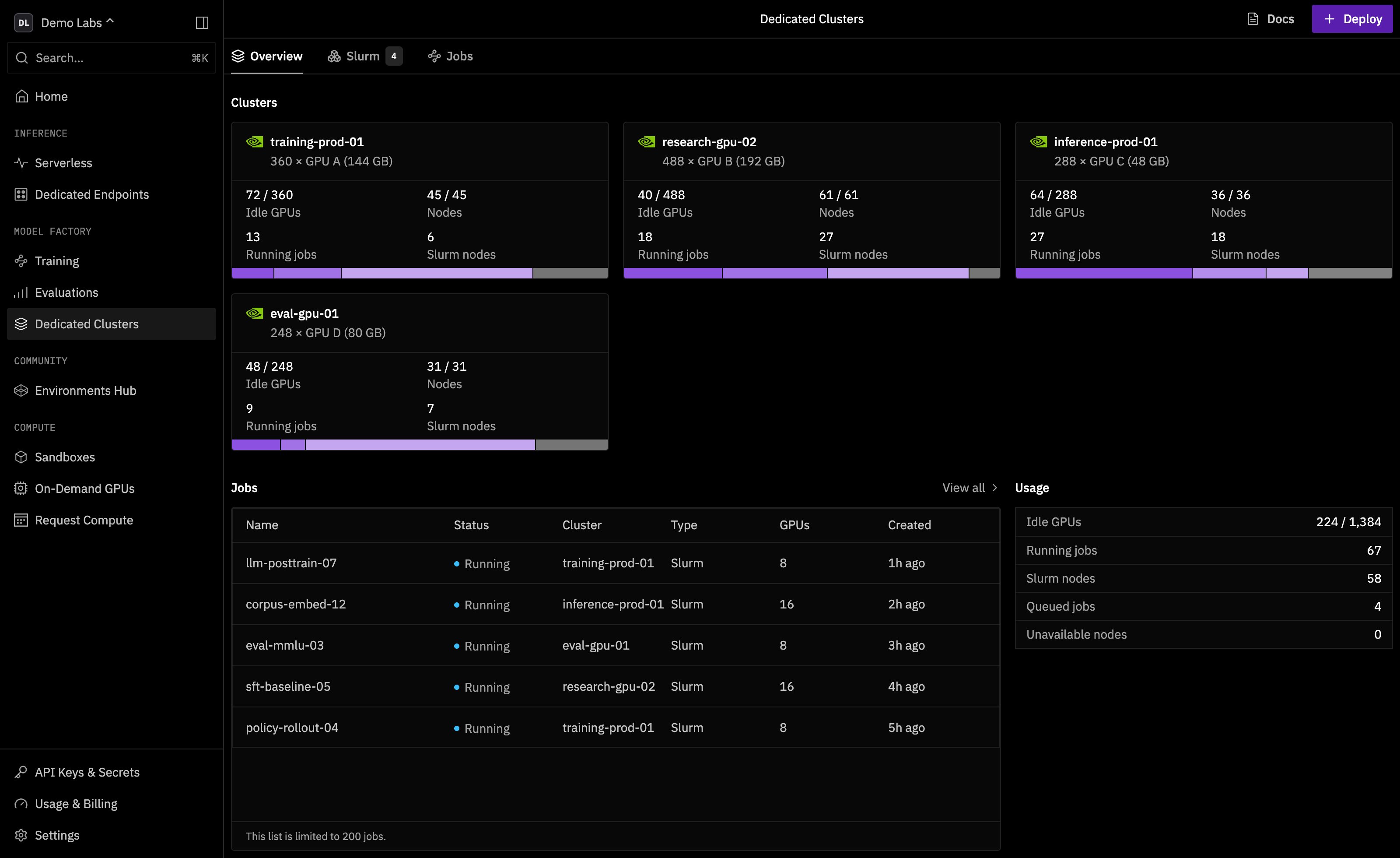
Dedicated Clusters Overview with fictional Demo Labs data.
Jobs
Use Jobs to find queued and running training, inference, and Slurm jobs. Search by job name or owner, or filter by status, workload type, cluster, or Slurm deployment.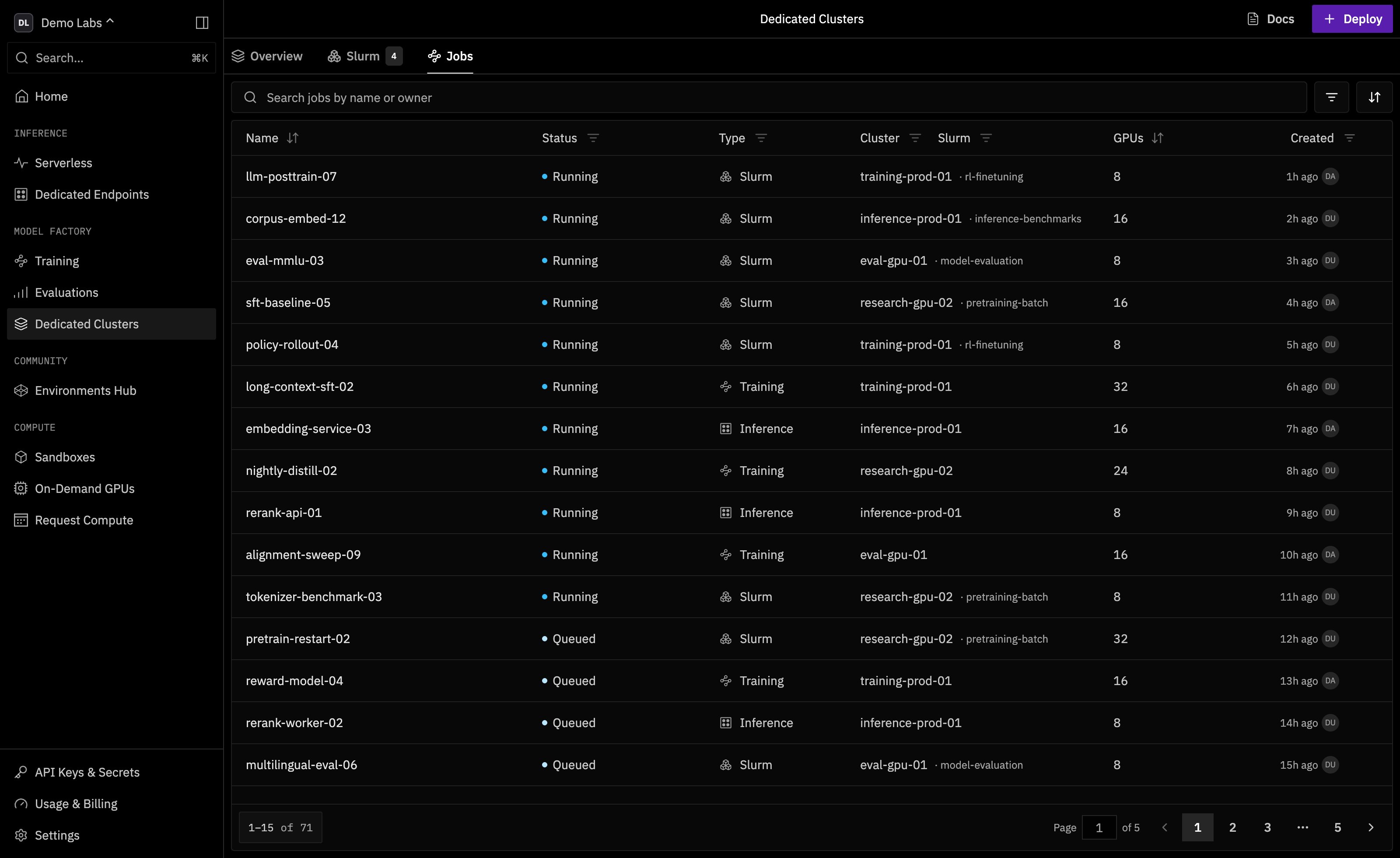
Dedicated Clusters Jobs with fictional Demo Labs data.
Deploy workloads
Training dispatched for the team uses matching reserved capacity when available. If self-service is enabled, team admins can choose Deploy > Slurm cluster or Inference endpoint and select the underlying cluster. Inference must also be enabled on that cluster. Use Slurm to find deployments and inspect their node allocation, SSH access, and usage. See Slurm Orchestration for setup and CLI commands.Self-healing and node health
Automated health checks monitor GPUs, network links, and node health. When a fault meets the quarantine criteria, the platform cordons the affected node so it stops receiving new workloads. The node can return to service automatically after its health checks recover. Prime Intellect operators investigate faults that persist. Quarantine changes where new work can run. Running jobs remain in place and follow their workload’s own recovery behavior. Open the cluster’s Nodes table to see which nodes are cordoned or unavailable, or use Cluster Monitoring to investigate GPU and network health.Access and API keys
A dedicated cluster belongs to a team. Team admins can add or remove Slurm SSH users from the dashboard. To make those changes through the API, use a key withslurm_clusters:write. Resizing a Slurm deployment requires factory:write. See Slurm cluster permissions.
Inspect your cluster with the CLI
Use Prime CLI 0.21.0 or later. Runprime login to sign in and prime switch to select the team that owns the cluster. If you use a scoped API key, enable factory:read.
List your team’s clusters and check capacity in nodes.
<cluster-name> with a cluster name from the status table.
Getting access
Choose Request a cluster on the Dedicated Clusters page or contact us to discuss a cluster.Hosted Training
Dispatch a managed, on-demand run instead.
Slurm Orchestration
How Slurm is set up on Prime Intellect clusters.